A friendlier way to run
volunteer computing
Iris is a desktop manager and client for BOINC-style volunteer computing: one dashboard for every server you run, real hardware detection, a searchable project catalog, nine languages — and an AI assistant you can just talk to.
Manage a whole fleet from one dashboard
Add every server you run — home PCs, a rack in the garage, a cloud box — and see and control all of them together.
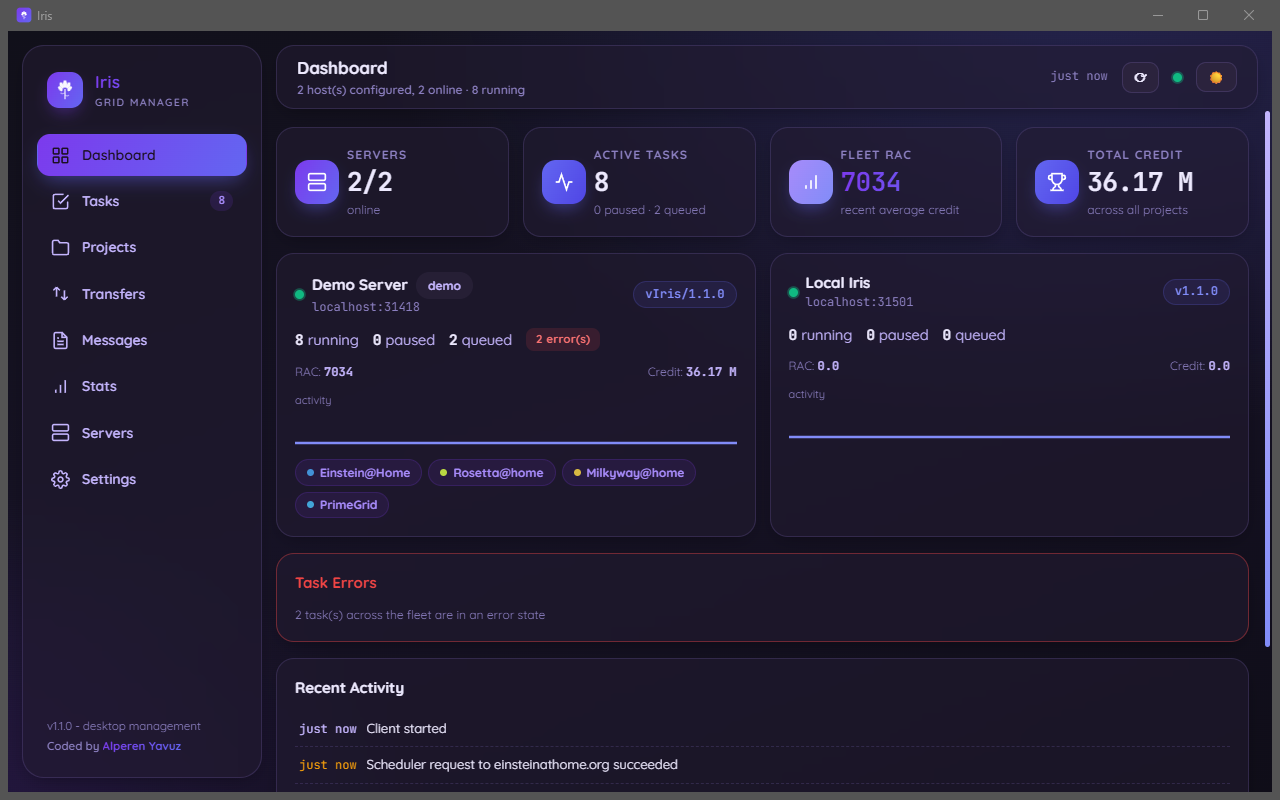
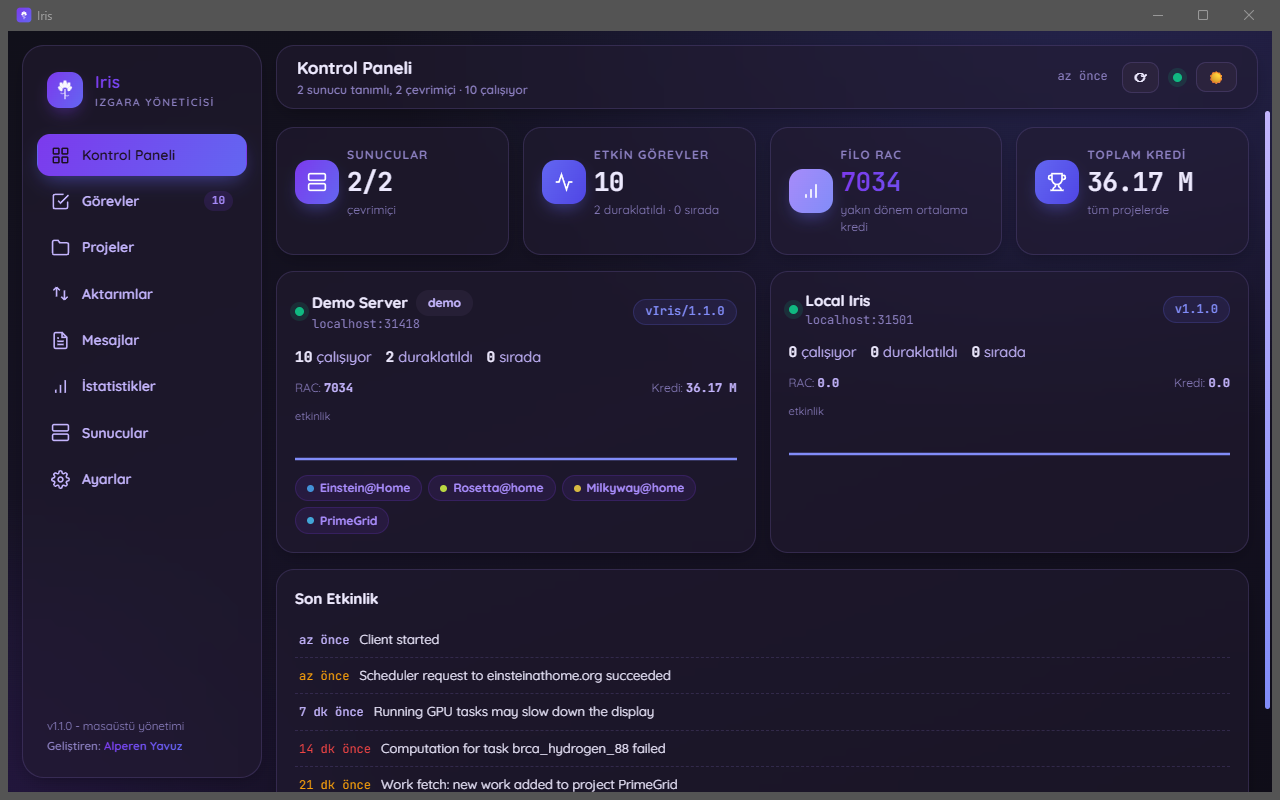
Fleet dashboard
Live totals across every server: running / paused / queued tasks, RAC and credit, per-host activity, recent client messages.
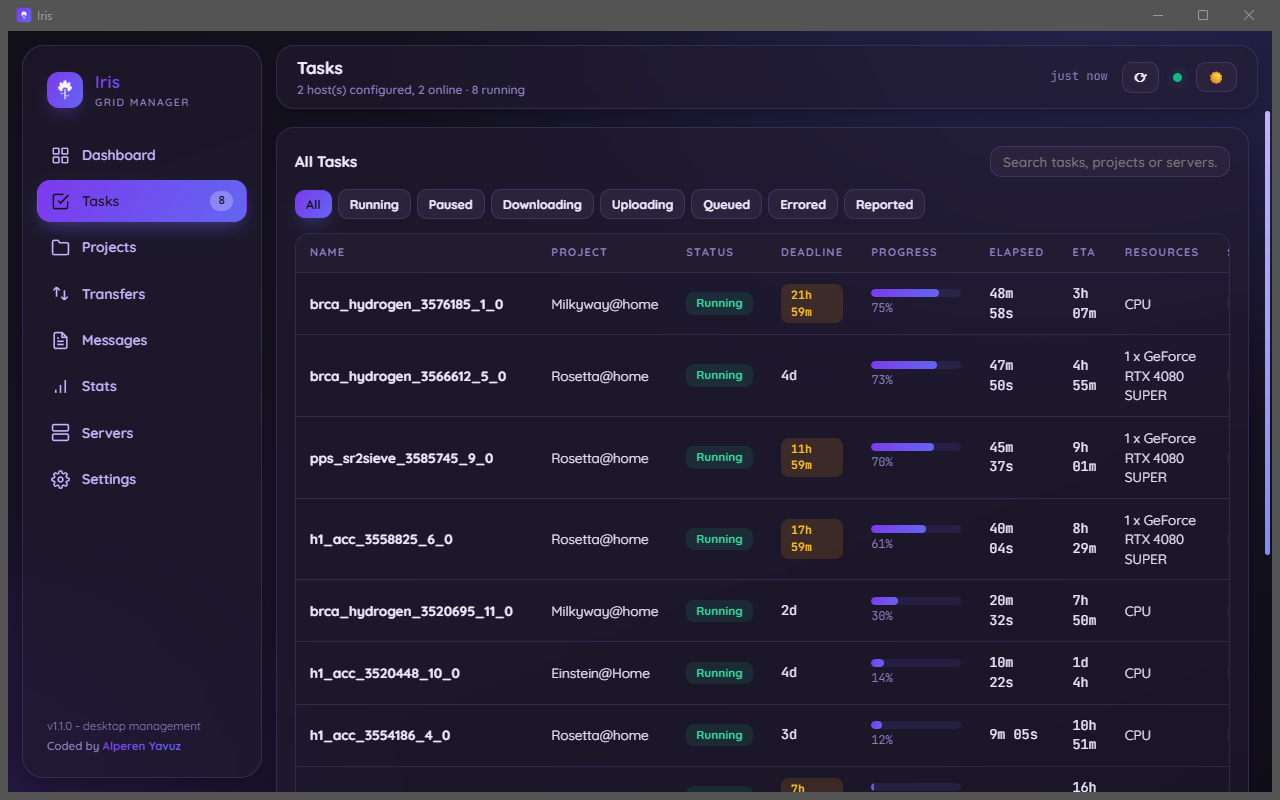
Tasks
Progress, elapsed/CPU time, ETA, deadlines, CPU or GPU resource use. Pause, resume or abort a task; filter and search across everything.
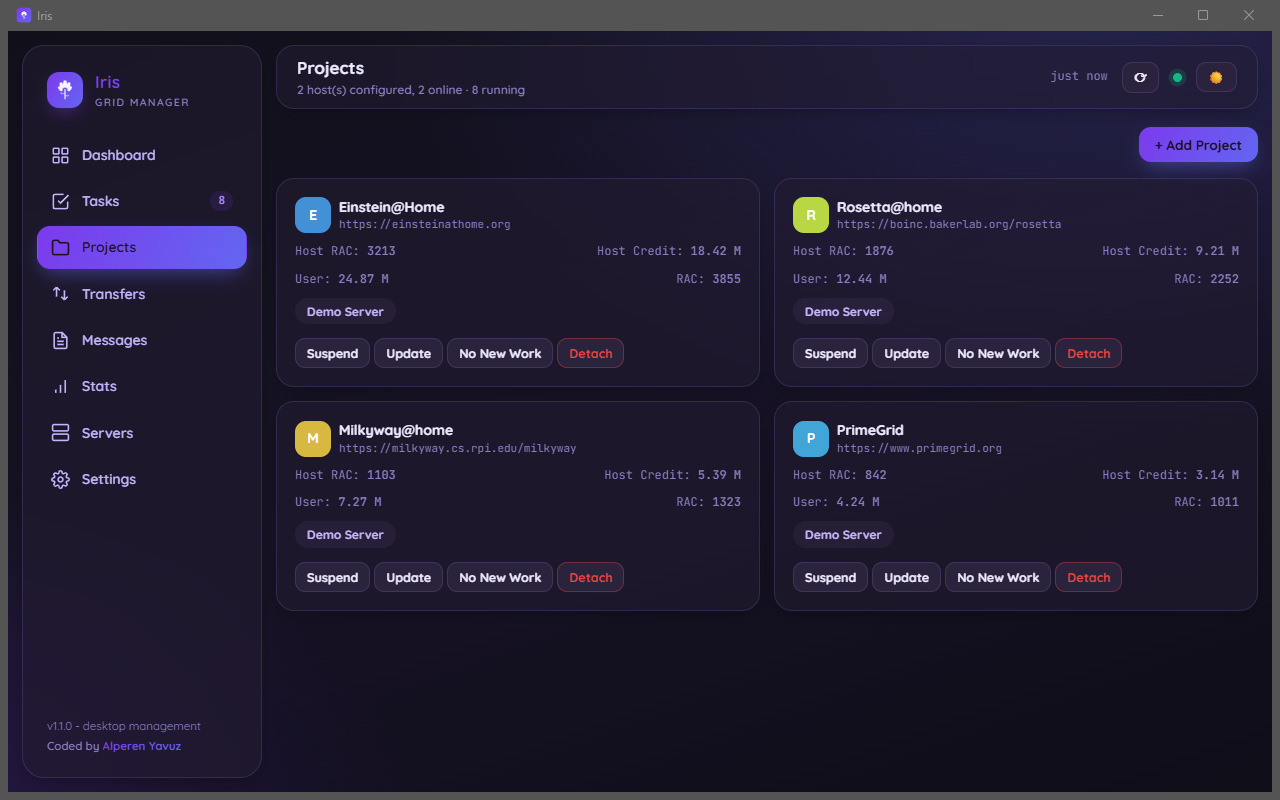
Projects & catalog
Attach, detach, suspend/resume, update, allow or stop new work. A searchable catalog of BOINC's official project list checks live whether a project is reachable and supports your platform before you attach.
Transfers
Live upload and download progress, with retry and abort — and MD5 verification of every finished file before it's ever executed.
Messages
A severity-highlighted client log across every server, so an error doesn't get lost in the noise.
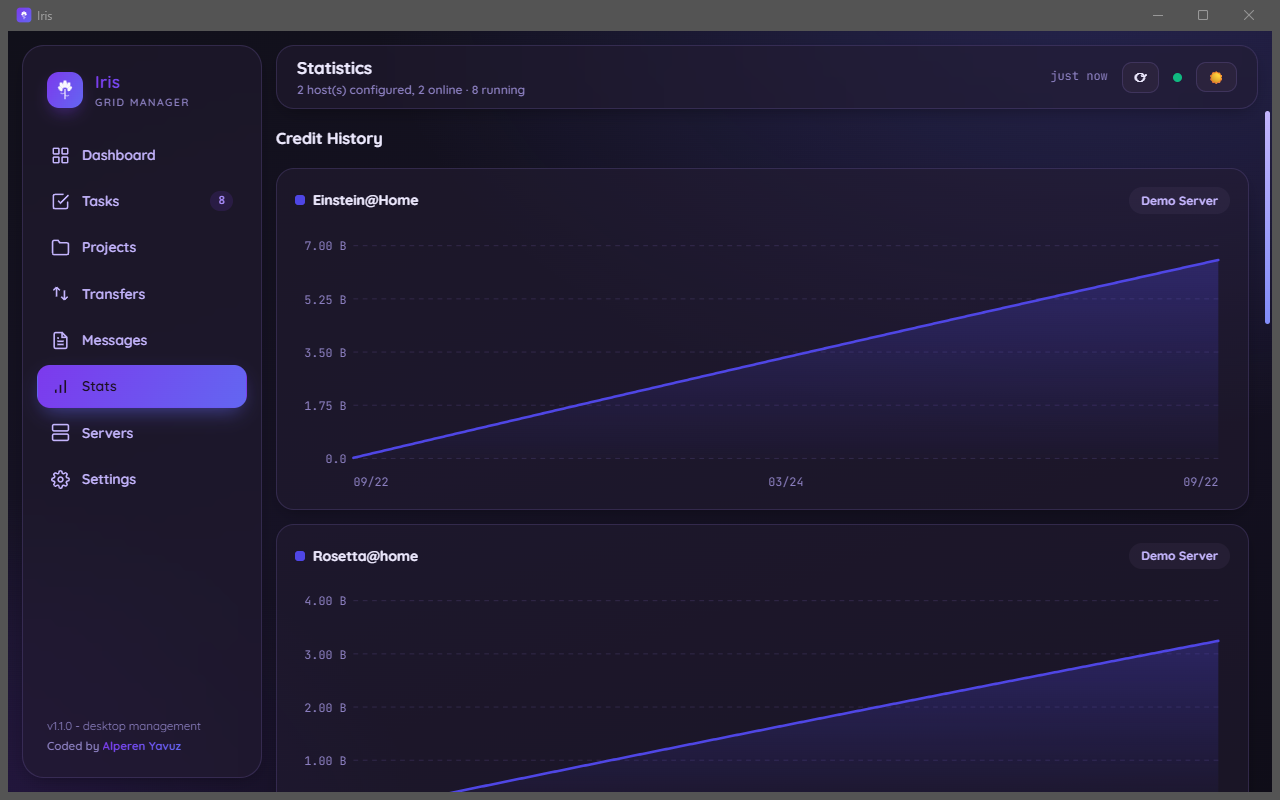
Statistics
Per-project credit history charts, transfer history, disk usage per project — see exactly where your compute time is going.
Preferences
Global preference overrides, per-host and fleet-wide run/network modes, a real CPU benchmark on demand.
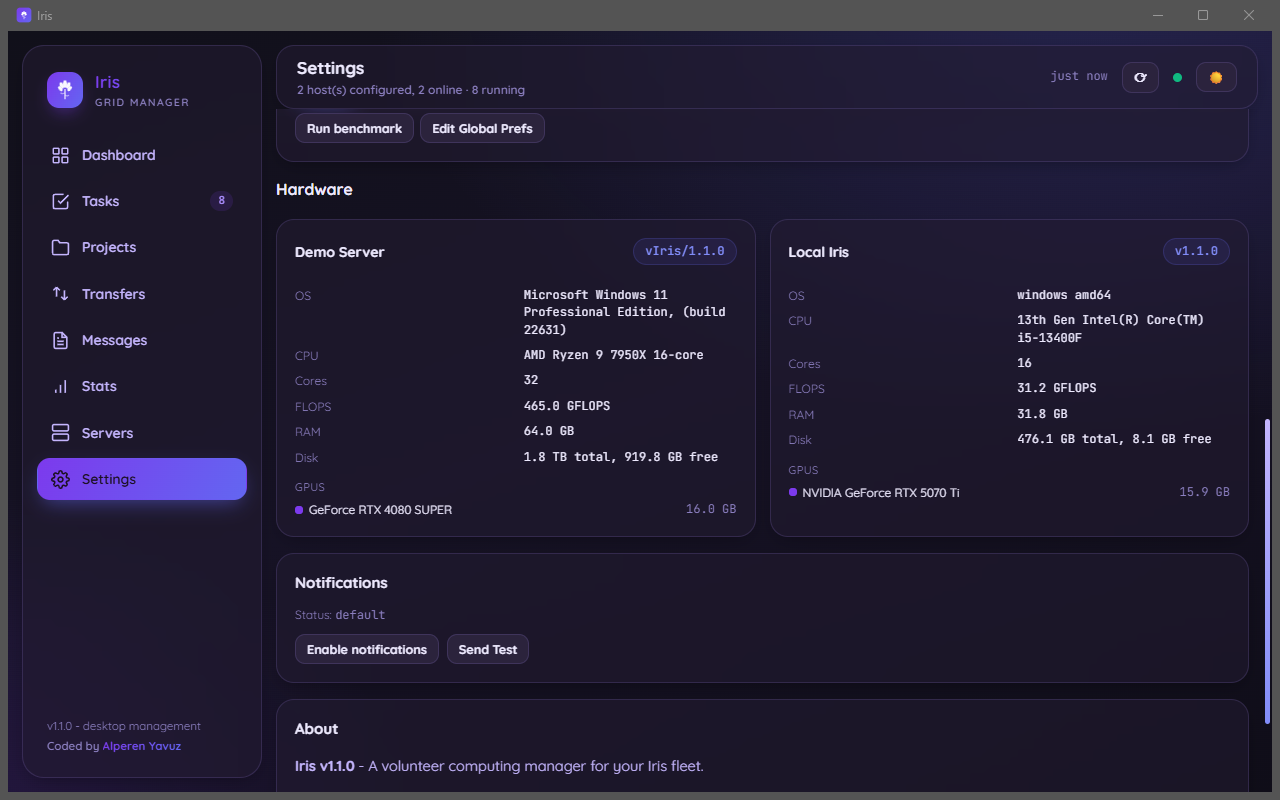
Hardware detection
OS, CPU (with real vendor and model, even measured when unrecognised), cores, RAM, disk, and every GPU with its real VRAM — not the 4 GB-capped value Windows often reports.
Notifications
Desktop alerts for approaching deadlines, task errors and offline hosts. A tray menu with refresh / hide / show / quit.
Nine languages
Every string translated — English, Türkçe, Deutsch, Français, Español, Italiano, Português, Русский, 日本語 — following the system language automatically.
Just ask it what you want to know
Powered by Tilvar AI, off by default. Turn it on and ask about your fleet in plain language — or tell it what to do, in your own language, and confirm before anything runs.
- Ask anything about your fleet — "how many Einstein@Home tasks do I finish per day?", "which servers are offline?", "what CPU does this machine have?"
- Or tell it what to do — pause a project, switch run mode, run a benchmark. It always shows exactly what it's about to do first.
- Nothing runs without confirmation — every proposed change is checked against your real fleet and waits for a tap before it happens.
- Privacy by design — passwords, RPC keys and account keys are never part of the conversation, and credential-bearing actions are entirely off-limits to it.
- Speaks your language — replies in whichever of the nine languages Iris itself is set to.
Screenshots
Taken from the real application, using simulated servers plus the local client of the machine they were captured on.
GPU work and CPU work never fight each other
Each kind of work gets its own disk share, so a large GPU download buffer can never squeeze out CPU work — or the other way round.
CPU work
- Slots
- slots/
- Project files
- projects/
- Download cache
- cache/
- Size limit
- cpu_cache_size_mb (4096)
GPU work
- Slots
- slots_gpu/
- Project files
- projects_gpu/
- Download cache
- cache_gpu/
- Size limit
- cache_size_mb (2048)
The limits are enforced: when one class has used its share, the client stops starting work of that class and keeps starting the other.
A small, portable BOINC-compatible client
Runs standalone or alongside the manager, on almost anything.
Platforms
The client is pure Go, so it ships for architectures the desktop manager doesn't need to (RISC-V, POWER, older 32-bit systems) — perfect for a spare single-board computer.
Help us test it
MIT licensed and open source. Try the manager on your own machines and tell us what breaks — issues and feature requests shape the roadmap.